When you submit a paper to Turnitin, you want the report as fast as possible — especially when a deadline is close. Under normal conditions, the wait is short. But several factors inside Turnitin’s system can slow things down significantly, and knowing what those factors are is the difference between submitting with confidence and refreshing the page in a panic.
The Short Answer:
For a standard first-time submission of an average-length paper (500–1,000 words), the Turnitin Similarity and AI Reports are typically generated within 5 to 15 minutes.
However, this timeline is not guaranteed. Resubmissions, server load, file formatting problems, and instructor settings can all push that window out — sometimes to 24 hours or more. The sections below explain each cause clearly.
Key Factors Affecting Turnitin Report Generation Time
The time it takes for your report to move from “Processing” to a final score depends on five main elements:
1. Resubmissions and the 24-Hour Rule
This is the most common reason for a long wait — and the most misunderstood.
- First three submissions: For most assignments, the first three submissions generate a new Similarity Report almost immediately.
- Fourth submission onward: From the fourth resubmission, Turnitin enforces a mandatory 24-hour delay before generating a new report. According to Turnitin’s official guide on accessing the Similarity Report, this delay is automatic and exists to allow resubmissions to process correctly without matching against the student’s previous draft.
- The 24-hour clock: The wait begins from the moment of the most recent submission. During this period, the report status typically shows as “Pending” in the assignment inbox.
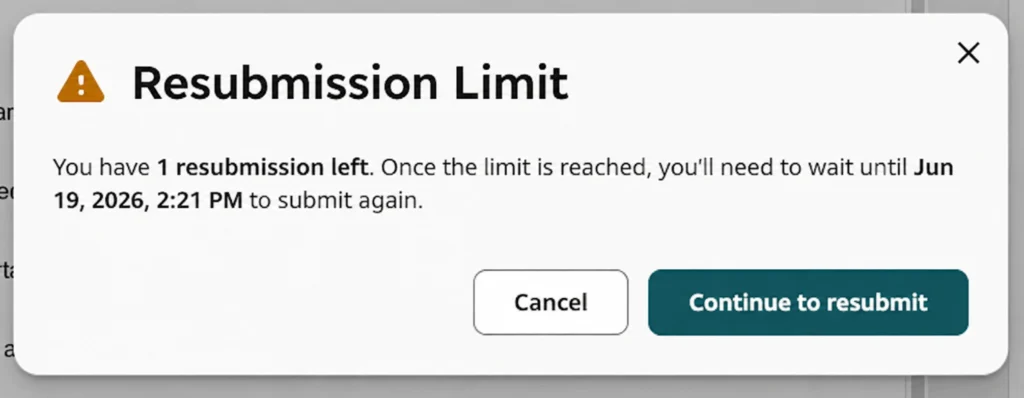
Students who submit multiple drafts to check and improve their similarity score before the final deadline are the ones most likely to hit this wall. Plan accordingly — if you are on your fourth or fifth draft, assume a full day’s wait before you see the next report.
For a full explanation of how the 24-hour rule works and why it exists, see the dedicated post on Turnitin’s 24-hour wait explained.
2. Server Traffic and Submission Time
Turnitin processes submissions from institutions worldwide simultaneously. During high-traffic periods — end of semester, midterms, major assignment deadlines — the volume of papers being processed can slow the entire system.
During peak times, the standard 5–15 minute wait can extend to several hours. In rare cases during extreme congestion, waits of up to a full day have been reported. According to Turnitin’s troubleshooting guide, uploaded files can take up to 10–15 minutes to process under normal conditions — and longer when the system is under load.
The only reliable way to avoid congestion-related delays is to submit well ahead of the deadline, not in the final hour when thousands of other students are doing the same.
3. File Size and Word Count
The larger and more complex the document, the longer Turnitin needs to process it.
- Long documents: Dissertations, theses, and research papers exceeding 10,000 words will naturally take longer than a standard 1,000-word essay.
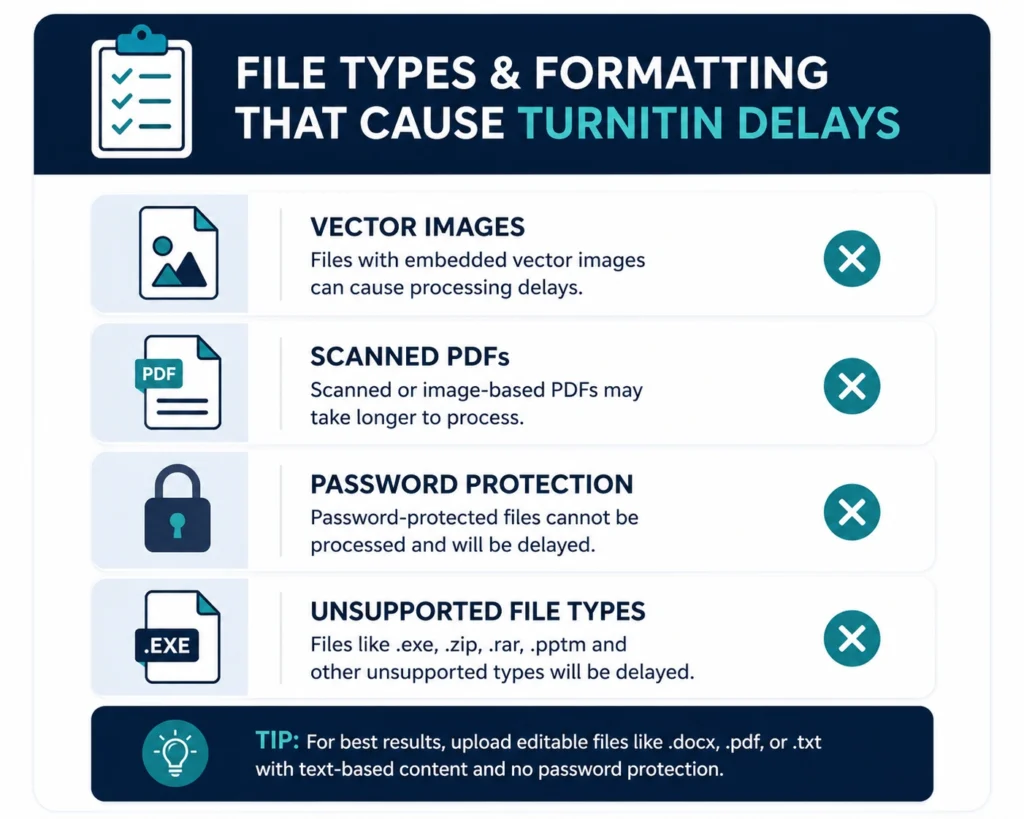
- Complex formatting: Files containing dense vector images (AI, EPS, WMF, PICT formats) can significantly slow processing or cause it to fail entirely. Turnitin’s official troubleshooting guide specifically recommends replacing vector images with raster formats (JPG, PNG, TIFF) before submitting if processing issues occur.
- PDF issues: PDFs generated from third-party or non-standard converters frequently cause delays. Turnitin recommends using trusted sources such as Adobe, Microsoft Office 365, or Google Docs to create PDF files for submission.
- Scanned documents: PDFs that are scanned images rather than text-based files cannot be read by Turnitin’s text extraction process. If the first page of a file contains only an image with no text, the file may fail to process entirely.
- Password-protected files: Any file with password protection must have that protection removed before submission, or no report will be generated.
4. Instructor-Controlled Settings
This is a cause of delay that many students never consider — and it can cause significant confusion.
Instructors choose from specific report generation options when they create a Turnitin assignment, and these choices directly affect when a student sees a report. According to Turnitin’s official assignment settings guide, the options include:
- Generate reports immediately: The Similarity Report is produced as soon as the submission is processed, without waiting for the due date. This is the setting most instructors choose, and it is what produces the standard 5–15 minute turnaround.
- Generate reports on due date: All submissions in the assignment generate their Similarity Reports at the same time, on the due date. Students who submit early under this setting will not see any report until the deadline arrives — regardless of how quickly their file was processed. This is a deliberate instructor choice, not a delay or error.
Separately from generation timing, instructors also control whether students can view their Similarity Report at all. This is a distinct toggle in the assignment settings, independent of when the report is generated. An instructor can choose to generate reports immediately while still keeping them hidden from students until grading is complete, or to never release them to students at all.
If you have submitted a paper and waited beyond a reasonable processing window without seeing a report, confirming the assignment settings with your instructor is always the right first step — the report may already exist and simply be withheld from student view by design.
5. Repository Settings
Turnitin’s official assignment settings guide clarifies something worth noting: if an assignment is set to not store submissions in a repository, the timing of report generation has no effect on the similarity score, since there are no other submissions in that assignment to compare against. If submissions are stored in a repository, a due-date-triggered re-comparison can cause the score to be recalculated once all submissions are indexed together — but this affects the score’s accuracy over time, not how quickly the first report appears.
In short: the repository setting can change what a score reflects, but it is the “generate immediately” vs. “generate on due date” setting above — not the repository choice itself — that determines how long a student waits to see a report.
6. Unsupported File Types
Turnitin only generates Similarity Reports for specific file formats. Submitting in an unsupported format means no report is produced at all — not a delayed one.
Supported file types for Similarity Report generation include: Microsoft Word (.doc, .docx), PowerPoint (.ppt, .pptx), PDF, plain text (.txt), rich text format (.rtf), HTML, and several others. File types that are not supported include .docm, .wps, Apple Pages files, and any file that is password protected or saved in a format Turnitin cannot parse.
If you are unsure whether your file type is supported, the safest approach is to save and submit as a .docx or a standard PDF before uploading.
Does Turnitin Generate the AI Writing Report at the Same Time?
Yes — when AI writing detection is enabled by the institution, the AI Writing Report is generated alongside the Similarity Report as part of the same processing run. Students do not wait separately for an AI score.
However, the AI Writing Report may be absent from your report for reasons unrelated to processing time:
- Institution has not enabled it: AI detection is an opt-in feature for institutions. If your university or college has not activated it, no AI score will appear regardless of processing time.
- Unsupported language: Turnitin’s AI detection currently supports English, Spanish, and Japanese for standard detection. Submissions in other languages will not generate an AI score.
- Minimum word count not met: The submission must contain at least 300 words of qualifying prose text for an AI Writing Report to be generated.
- Unsupported content type: Code, bullet-point lists, and non-prose formats do not qualify for AI detection and will not contribute to an AI score even if other qualifying text is present.
If the AI report is missing from a submission that meets all the above criteria, the most likely explanation is that your institution has not enabled the feature. Your instructor or library team can confirm this.
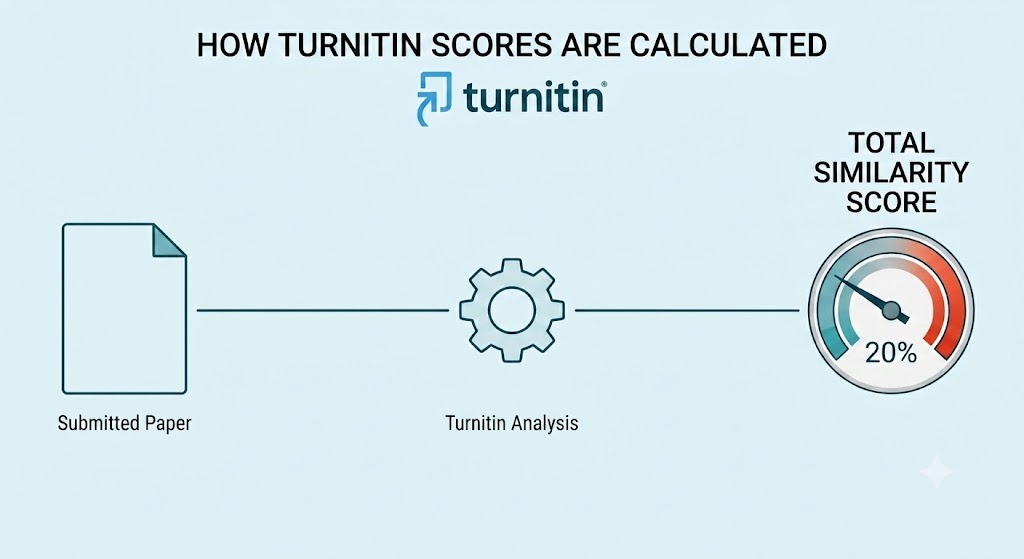
For more on how the AI detection score works, see the post on how Turnitin scores are calculated.
What to Do If Your Report Is Stuck
If your Similarity Report has not appeared after a reasonable wait, work through these steps before contacting support:
- Check the submission count. If this is your fourth or later resubmission, the 24-hour delay is the explanation. No action is needed — the report will appear after the wait period.
- Check Turnitin’s system status. Turnitin maintains a public system status page at status.turnitin.com where any ongoing outages or service disruptions are listed. If there is an active incident, the delay is on Turnitin’s end.
- Check your file. Open the file you submitted and confirm it does not contain a first page with only an image, vector graphics, password protection, or a non-standard format. If any of these apply, the file may have failed to process.
- Wait the full window. Turnitin’s own documentation states that files can take up to 10–15 minutes under normal conditions. During peak periods, give it several hours before treating it as a problem.
- Contact your instructor. If it has been more than 24 hours and the report still has not appeared, contact your instructor. They can see the submission status on their end and confirm whether a report was generated or whether there is a configuration issue with the assignment.
Summary of Turnitin Report Timelines
| Submission Status | Estimated Time | Key Reason |
|---|---|---|
| Initial submission (first attempt) | 5–15 minutes | Standard processing time |
| Resubmission (2nd or 3rd attempt) | 5–15 minutes | System allows rapid checking for early drafts |
| Resubmission (4th attempt or more) | 24 hours | Mandatory delay to prevent self-matching |
| Peak submission periods | Several hours to 24 hours | High server traffic and congestion |
| File formatting issues | Indefinite / no report | File failed to process |
| “Generate on due date” setting | Until the due date | Instructor chose delayed generation |
| Student report visibility disabled | Never visible to student | Instructor disabled student access |
Conclusion
For most students submitting a standard paper for the first time, Turnitin will return a Similarity Report within 5 to 15 minutes. The 24-hour delay is not a system error — it is a deliberate rule that applies from the fourth resubmission onward. Server traffic during peak academic periods can extend any processing time, and file formatting problems can prevent a report from generating at all.
The most practical advice is simple: submit early, use supported file formats, and keep track of how many times you have resubmitted to the same assignment. If a report is delayed, check the system status page before assuming something has gone wrong on your end.
To understand what the report shows once it does arrive, see the Turnitin similarity report example and Turnitin AI report example, and the guide on how to read and understand a Turnitin similarity report.
Frequently Asked Questions (FAQ)
For a first-time submission of an average-length paper (500–1,000 words), Turnitin typically generates a Similarity Report within 5 to 15 minutes. Longer documents, resubmissions beyond the third attempt, peak server traffic, and file formatting issues can all extend this timeline significantly.
If your report has not appeared after an hour, the most likely causes are high server load during a peak period, a file formatting issue that prevented processing, or instructor-controlled settings that delay report release. Check Turnitin’s system status page and confirm your file format before contacting your instructor.
The 24-hour delay applies from the fourth resubmission onward. Turnitin enforces this to ensure resubmitted files process correctly without matching against the student’s own previous draft. The clock starts from the moment of the most recent submission. See the full explanation in the post on Turnitin’s 24-hour wait explained.
Yes, when AI detection is enabled by the institution, the AI Writing Report is generated as part of the same processing run. If no AI score appears, the most likely reasons are that your institution has not enabled AI detection, the submission is in an unsupported language, or the document does not contain enough qualifying prose text (minimum 300 words).
Was this helpful?