If you have come across both Turnitin and iThenticate and assumed they were simply two names for the same tool, you are not alone — and you are not entirely wrong either. Both platforms are owned by the same company, run on the same core matching technology, and check against much of the same underlying content. But they are built for different people solving different problems, and the differences matter — especially if you are trying to figure out which one applies to you, or whether iThenticate can catch AI-generated text the way Turnitin does.
This guide breaks down exactly what separates the two platforms, using Turnitin’s own official documentation as the source.
Are iThenticate and Turnitin the Same Thing?
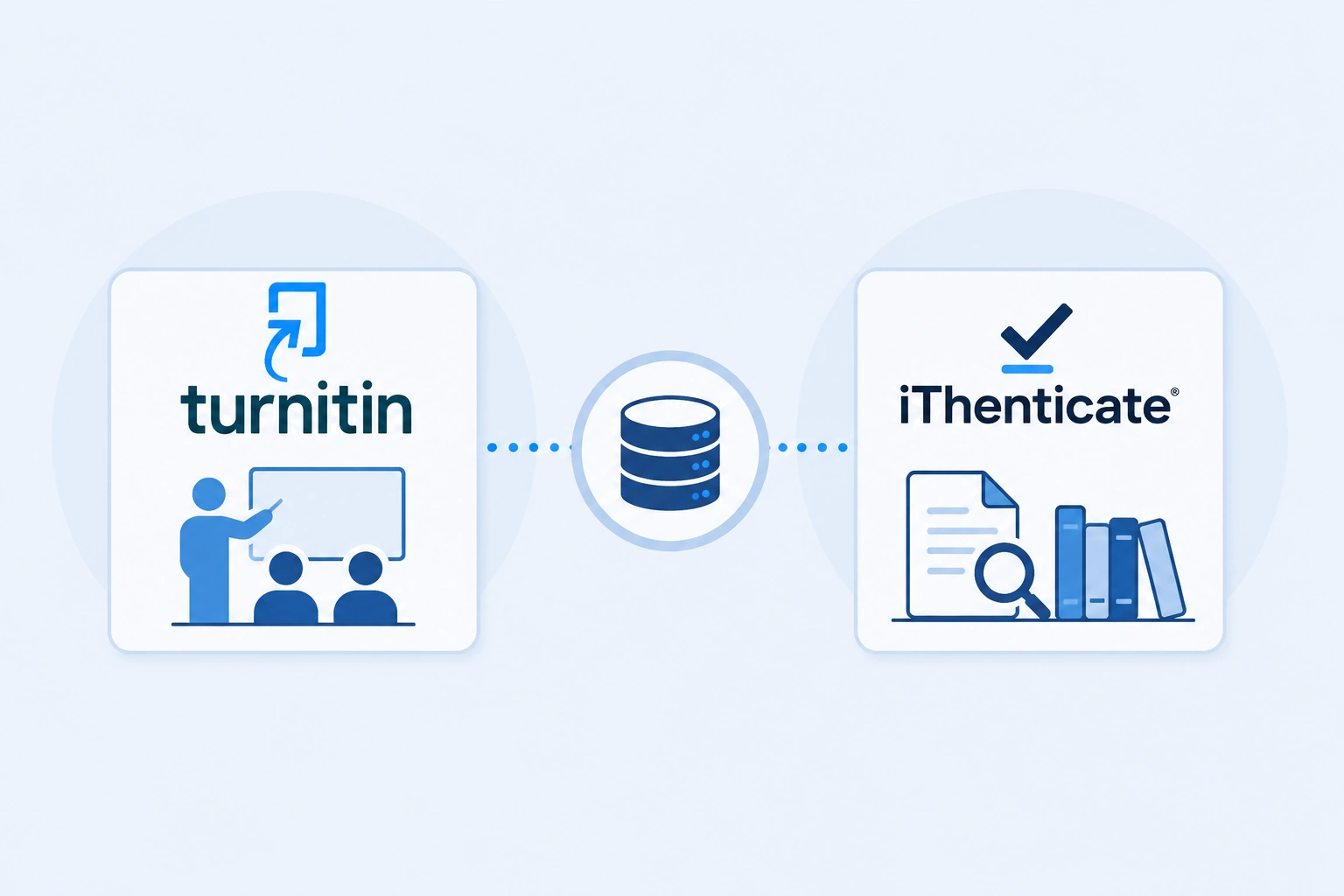
Not exactly. According to Turnitin’s own official comparison guide, both platforms use the same industry-leading database to identify overlapping text, but they are designed for different types of users and workflows.
Turnitin and iThenticate are, quite literally, sibling products from the same company. iThenticate was built specifically to extend the same text-matching and integrity technology beyond the classroom — into research, publishing, and professional environments where the stakes and the audience are different.
The confusion is understandable: same underlying engine, same parent company, overlapping databases. But “same engine” does not mean “same tool” — much like two cars can share the same manufacturer and the same drivetrain while being built for completely different drivers.
Who Is Each Tool Actually For?
This is the single clearest way to tell the two apart.
Turnitin is built for instructors and students inside academic institutions. It is used to check coursework, essays, theses, and dissertations as part of a course or degree program. According to Turnitin’s own documentation, access to Turnitin is only available through an academic institution — individual standalone accounts for students or researchers are not available for purchase. If your school or university has a Turnitin license, that is the only way to access it. For a full walkthrough of what submitting through that access looks like, see the guide on how to submit a paper to Turnitin.
iThenticate is built for researchers, publishers, authors, and organizations — people preparing work for formal publication rather than coursework. This includes journal article submissions, grant proposals, manuscripts, and pre-publication research. Turnitin’s own iThenticate FAQ confirms it is used by academics, researchers, publishers, grantmakers, corporate and government agencies, admissions officers, and students working on high-stakes writing such as journal submissions or grant proposals.
The practical distinction: if you’re a student turning in an assignment, that’s Turnitin territory. If you’re a PhD candidate submitting a manuscript to a journal, or a publisher screening incoming submissions, that’s iThenticate territory.
Can Individuals Buy Access? A Key Access Difference
This is one of the most practically important differences, and it directly affects who can even get a report in the first place.
- Turnitin: No individual accounts exist. Access is institution-only. A student or independent researcher cannot simply sign up and pay for Turnitin access on their own — it has to come through a university or school license.
- iThenticate: Offers considerably more flexibility. According to Turnitin’s official guide, you can create a free Individual Account and purchase submission credits directly, or access the platform through an Organizational Account, which is common for research departments, publishers, or corporate entities.
This is a meaningful practical difference for anyone outside a university setting who needs a legitimate integrity check — a self-published author, an independent researcher, or someone preparing a manuscript without institutional backing has a realistic path to iThenticate that simply does not exist for standard Turnitin.
Does iThenticate Check for AI-Generated Content?
This is one of the most common points of confusion, and the honest answer requires a bit of nuance — the short version is yes, but it’s not automatically included.
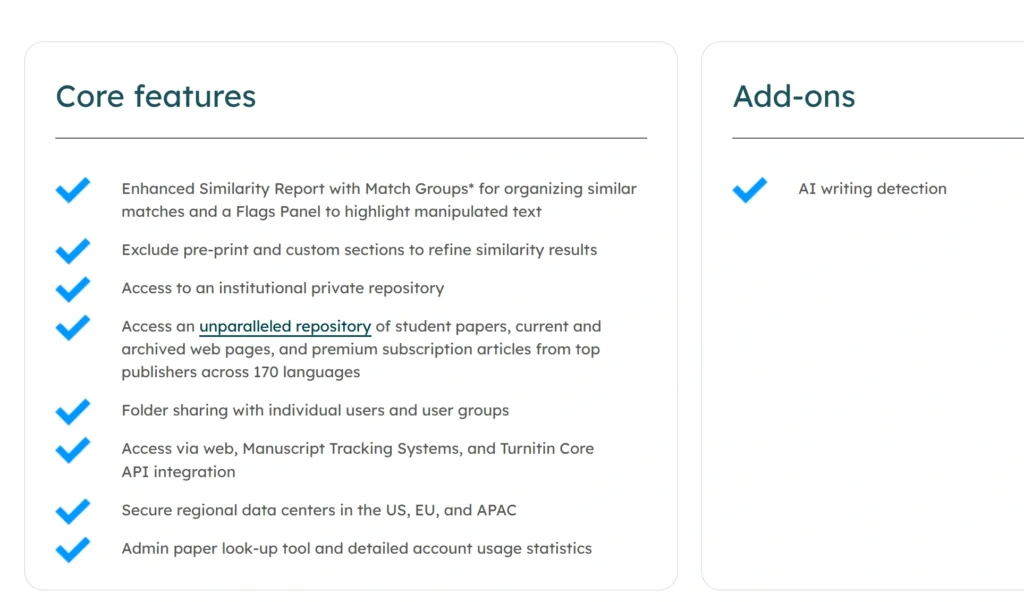
According to Turnitin’s own iThenticate product page, the platform’s core features include similarity checking by default. AI writing detection, however, is listed separately under Add-ons — meaning it is a paid, opt-in feature that an organization or individual account holder must specifically license and enable. It is not bundled in automatically the way it often is for institutions using standard Turnitin.
Once enabled, iThenticate’s AI writing indicator works similarly to Turnitin’s: it shows an overall percentage of the document that AI writing tools such as ChatGPT may have generated, including content that may have been further modified using AI paraphrasing or bypasser tools. The AI writing detection add-on for iThenticate is currently available in English only.
So to directly answer the question: iThenticate is not “similarity only.” It can check for both similarity and AI-generated content — but unlike standard similarity checking, the AI detection capability has to be specifically added to the account, and it is not something every iThenticate user automatically has access to.
How Document Storage and Privacy Differ
Beyond audience and access, the two platforms also handle document storage differently — and this is a real privacy distinction worth understanding.
- iThenticate Individual Accounts: Documents are never saved to a repository. Your work is not stored as a searchable source for future comparisons against other users’ submissions.
- iThenticate Organizational Accounts: Organizations have the option to purchase a private repository node, which allows them to compare new submissions against previous work uploaded within their own organization only — not the wider public repository.
- Turnitin Accounts: Instructors have the option to choose whether student submissions are saved to a global repository or not, on a per-assignment basis. This is why some Turnitin assignments use a “No Repository” setting and others don’t. See our guide on what the No Repository option means in Turnitin for more on how that works, and how it can affect whether your paper could be flagged for matching old papers and repositories in future submissions.
- Cross-platform separation: According to Turnitin’s own documentation, documents uploaded to iThenticate are generally never compared against the Turnitin repository, and vice versa. The two systems, despite sharing a company and much of the same underlying content database, do not cross-check submissions against each other by default.
This separation matters in practice. A manuscript checked through iThenticate will not later show up as a “student paper match” if a student happens to submit similar content to Turnitin, and vice versa — the two repositories are kept apart.
Database Scope: What Each Tool Actually Searches
Both platforms draw from an enormous shared content base, but the emphasis differs slightly based on their intended use.
Turnitin’s database is weighted toward content relevant to coursework: student papers submitted by other institutions, internet content, and a substantial body of academic publications.
iThenticate, being built for publication-level integrity checks, places heavier emphasis on scholarly and professional content. According to Turnitin’s own product page, iThenticate compares submissions against 244 million subscription content sources and 85,000 journal articles from premier academic publishers, 54 billion current and archived web pages, and more than 200 million Open Access articles, books, conference proceedings, pre-prints, and encyclopedias. It also integrates with Crossref, giving it direct access to metadata and content from more than 1,500 publishers — a resource particularly relevant to journal editors and publishers screening incoming manuscripts.
Side-by-Side Comparison
| Turnitin | iThenticate | |
|---|---|---|
| Primary users | Instructors and students | Researchers, publishers, and authors |
| Primary use case | Coursework, grading, classroom feedback | Journal submissions, manuscripts, grant proposals |
| Account access | Institution-only | Individual or organizational accounts available |
| Similarity checking | Core feature | Core feature |
| AI writing detection | Included when enabled by institution | Paid add-on, must be separately licensed |
| Document storage | Instructor’s choice, per assignment | Not added to a global repository by default |
| Cross-platform matching | Does not check against iThenticate repository | Does not check against Turnitin repository |
| Database emphasis | Student papers, web content, academic publications | Scholarly journals, Crossref network, Open Access content |
Which One Do You Actually Need?
The right tool almost always comes down to what you are submitting and to whom.
- Submitting a class assignment, essay, or thesis as part of a degree program? You’ll be using Turnitin, and it will be provided through your institution — you won’t need to seek it out independently. See a real Turnitin similarity report example to know what to expect.
- Preparing a manuscript for a journal, publisher, or grant application? iThenticate is the industry-standard tool for this. Many journals use it directly as part of their submission process, so pre-checking your own manuscript through iThenticate closely simulates what the journal will see.
- A researcher or independent author without institutional access? iThenticate’s individual account option gives you a legitimate way to check your work — something not available through Turnitin directly.
- Need to know your AI detection score specifically, not just similarity? Confirm the account has AI writing detection enabled — this applies to both platforms, but is especially important to verify with iThenticate given it’s an add-on rather than a default feature.
If you don’t have access to either platform through an institution, getting a Turnitin-powered report through an independent service is a practical alternative for checking similarity and AI content before a formal submission.
Conclusion
Turnitin and iThenticate share the same underlying technology and much of the same content database, but they exist to serve two different audiences solving two different problems. Turnitin is institution-only and built around the classroom — checking coursework, essays, and academic submissions for students and instructors. iThenticate is built for the world of scholarly publishing — available to individuals and organizations directly, and used heavily by journals, publishers, and researchers preparing high-stakes written work.
On the AI detection question specifically: both platforms can check for AI-generated content, but on iThenticate, that capability is a separate paid add-on rather than something automatically included — a detail that matters a great deal if you are choosing between the two or trying to understand exactly what a report in front of you does and doesn’t cover.
Frequently Asked Questions (FAQ)
Not exactly. Both are owned by the same company and use the same core text-matching technology and overlapping databases, but they are designed for different users. Turnitin is built for instructors and students in academic institutions, while iThenticate is built for researchers, publishers, and authors preparing work for formal publication.
Yes, but only as a paid add-on. According to Turnitin’s own documentation, iThenticate’s core features include similarity checking by default, while AI writing detection must be separately licensed and enabled. Once active, it functions similarly to Turnitin’s AI detection, including the ability to identify AI-paraphrased or bypassed content, and is currently available in English only.
Yes. Unlike Turnitin, which is only accessible through an academic institution, iThenticate offers free Individual Accounts where users can purchase submission credits directly, as well as Organizational Accounts for research departments, publishers, or companies.
Generally, no. Turnitin’s own documentation states that documents uploaded to iThenticate are typically not compared against the Turnitin repository, and vice versa. The two platforms maintain separate repositories despite sharing a company and much of the same broader content database.
This depends on the context. If your thesis is being submitted as part of your degree program, your institution will typically provide Turnitin access. If you are preparing the same or related work for journal publication afterward, many journals specifically use iThenticate as part of their submission process, making it worth checking independently beforehand.
Neither is inherently more accurate — they use the same core matching technology and much of the same content sources. The meaningful differences are in audience, access model, and feature availability (such as AI detection being a paid add-on for iThenticate), not in the underlying accuracy of the similarity matching itself.
Was this helpful?